For everyone
Read the month view
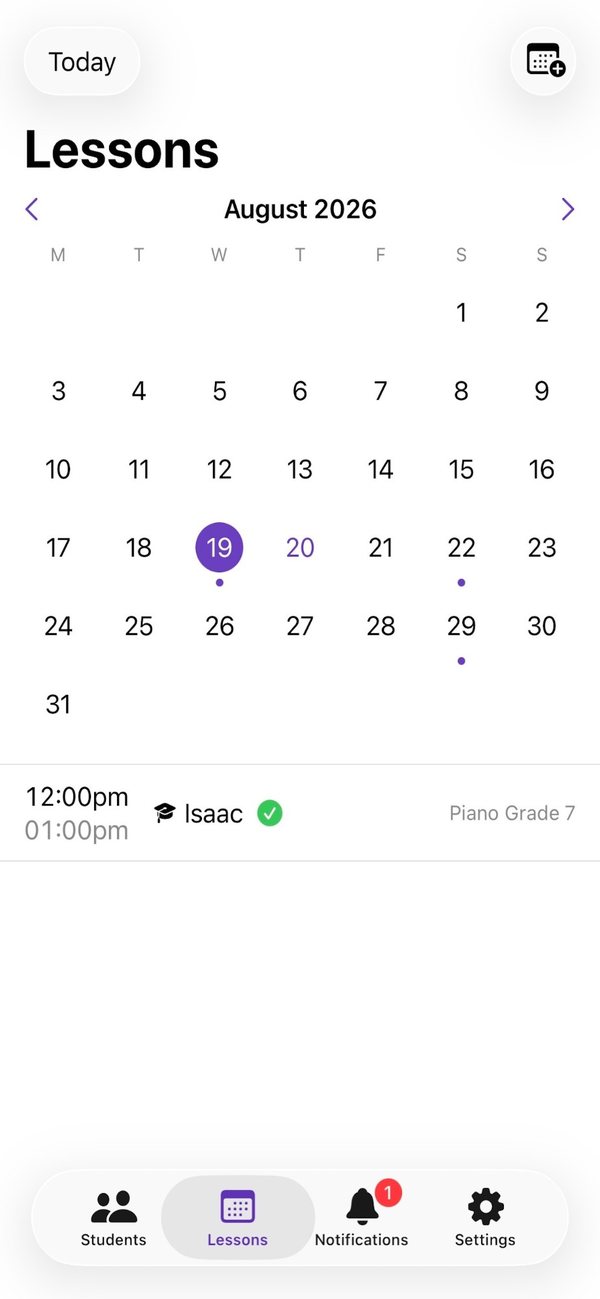
Lessons opens on a month calendar, with a dot on every day that has a lesson.
A purple dot under a day means it has lessons. A red dot means two of them overlap.
Tap a day to list its lessons below the calendar.
Swipe, or use the arrows, to change month. Tap the month’s name to jump to any month and year. Today brings you back.
Good to know
- Teachers can tap a lesson in the list to open it. Students see their lessons from every linked teacher in one place.
Still stuck? In the app, go to Settings and tap Contact Us.